Trim old Airflow log files automatically, before disk pressure becomes an incident
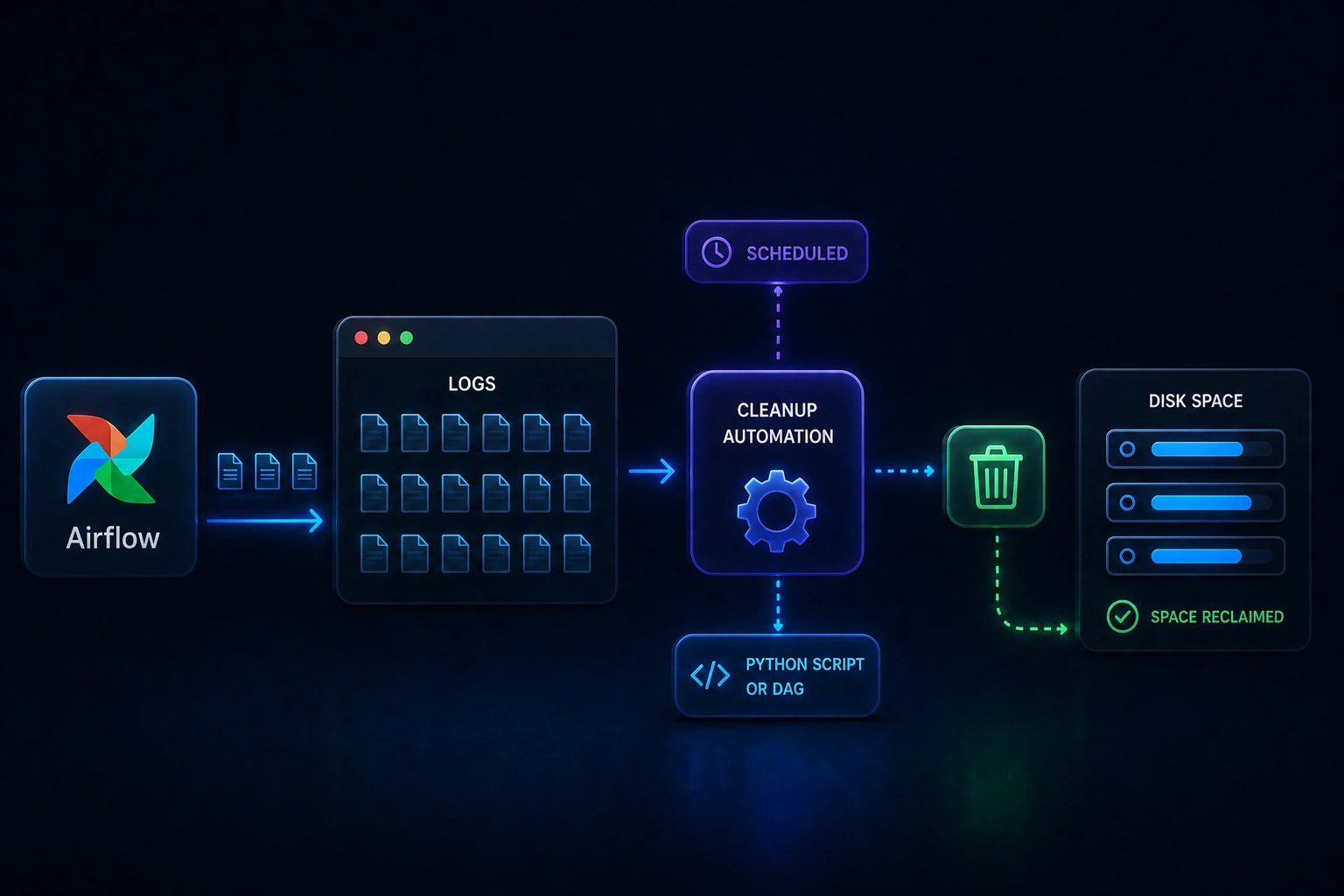
Airflow Logs Cleanup is a small Python utility you can run as a standalone script or schedule as an Airflow DAG. It targets the usual buildup of rotated logs (including numbered dag_processor_manager rotations) and general log files past a retention window, then tidies empty folders left behind, so operators spend less time on manual housekeeping.
When it is useful
Your Airflow home is accumulating log volume, you want a repeatable cleanup policy instead of one-off rm sessions, or you prefer a DAG-driven job (the repository ships an example schedule you can change). You need AIRFLOW_HOME set and a supported Python runtime as described in the project.
What you can do
- Delete rotated
dag_processor_managerlog files (the.1,.2, … pattern the README calls out). - Remove log files older than a configurable age (the default in-repo window is documented there; you can extend it by editing the retention constant).
- Prune empty directories after deletions, with safeguards called out for sensitive paths.
- Run ad hoc with the cleanup script or install the DAG into your Airflow
dagsfolder and enable it when you are ready.
Limits
- This does not replace your broader logging, monitoring, or compliance retention policy; it automates file cleanup based on the rules in the repository.
- Savings and performance depend on your cluster size, log volume, and schedule; this page does not promise specific percentages or dollar amounts.
- Permissions, Airflow version quirks, and backup requirements are still your responsibility before enabling in production.