
Professional Merges Without Breaking Your Data
Why Manual Merging Does Not Scale
Reports often need merged blocks for readability: grouped headers, repeated labels, or combined text cells. Doing it manually across hundreds of rows invites misclicks, uneven groups, and lost values when unmerging. You need patterns (every N cells, repeated values, custom joins) that stay consistent.
How it works
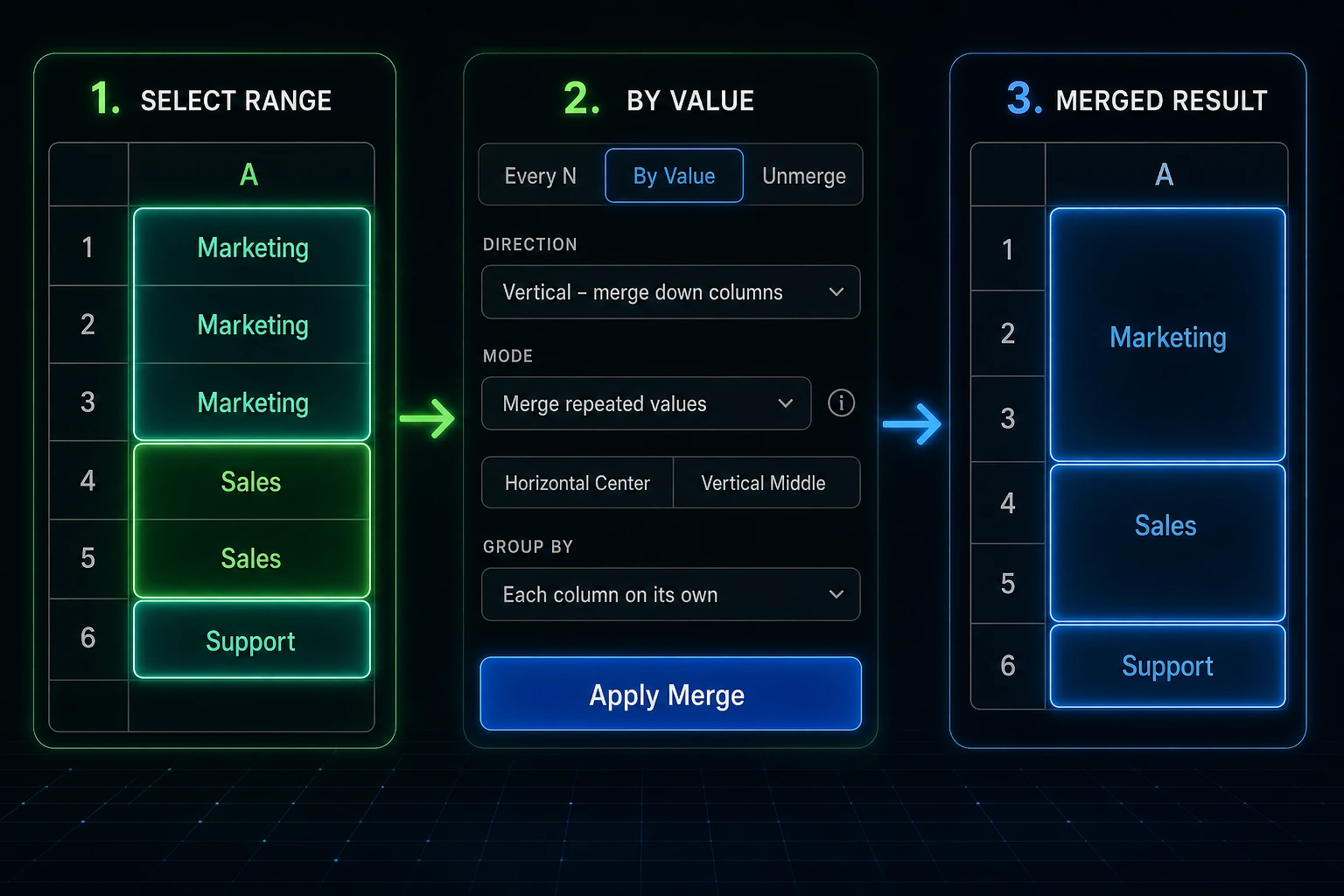
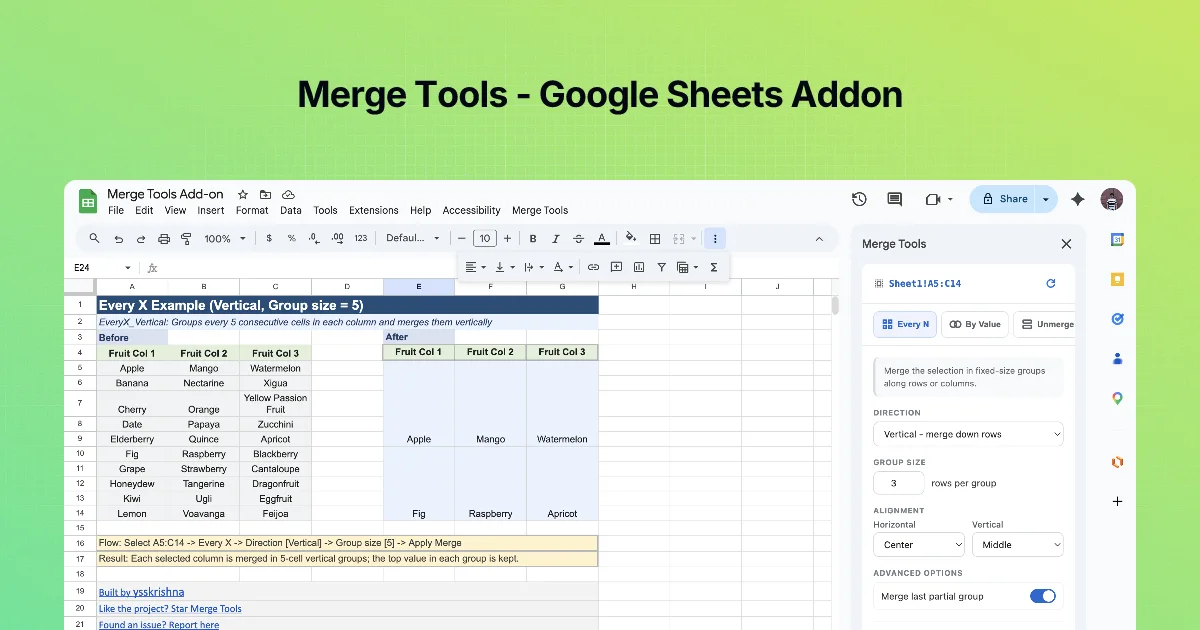
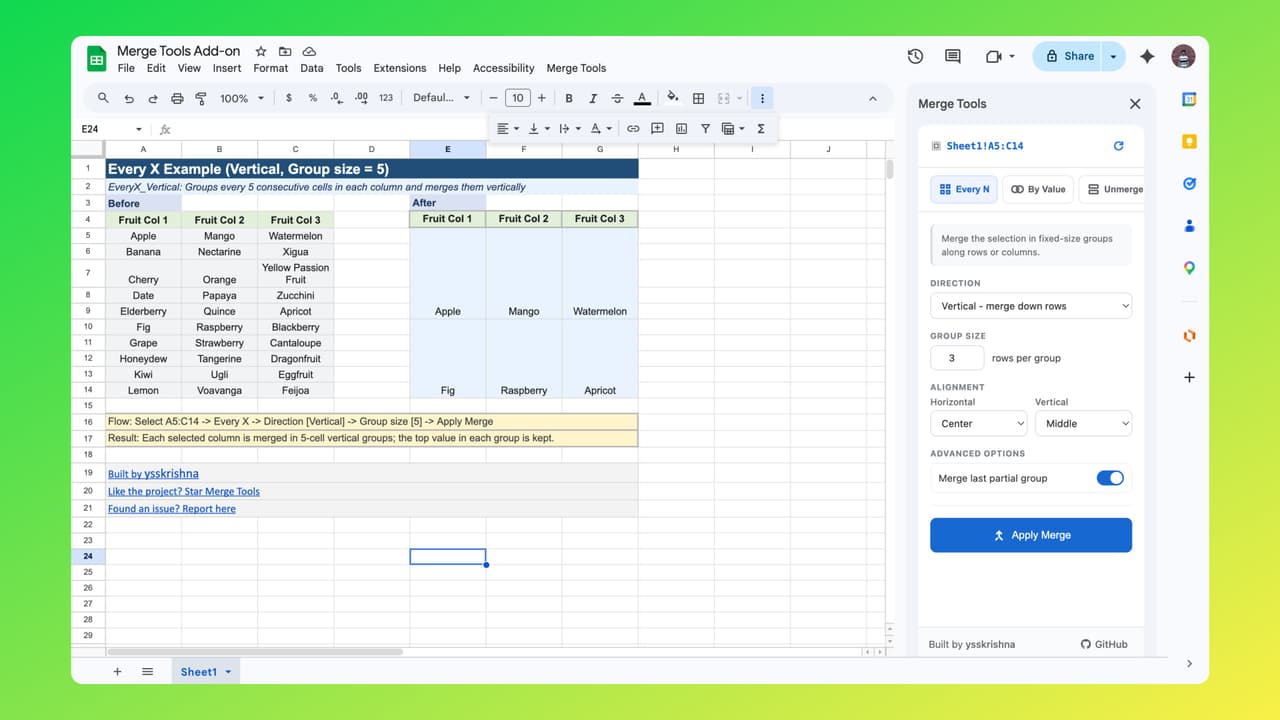
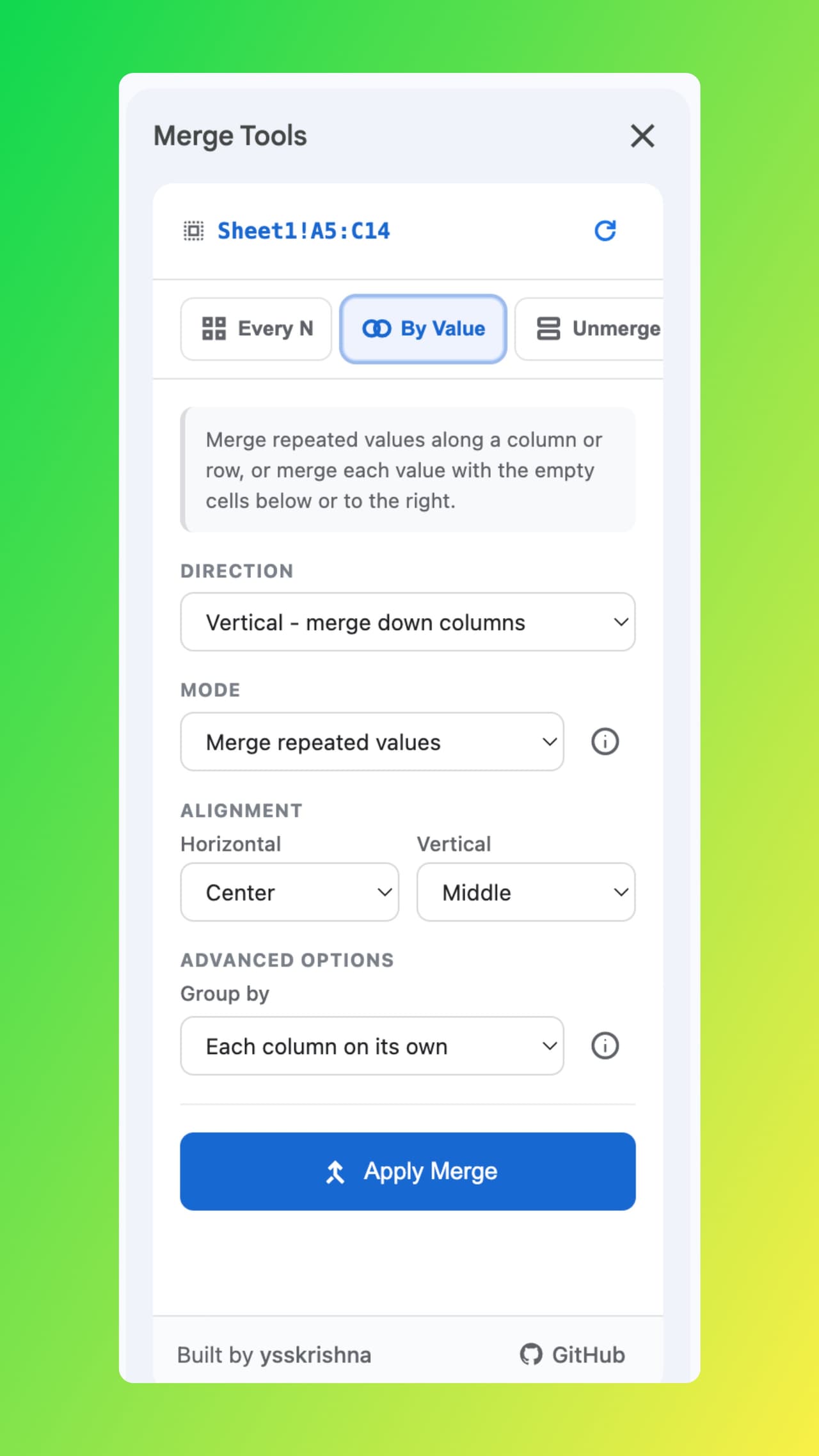
Merge Tools runs as a sidebar inside Google Sheets and encodes the merge strategies people actually use. Merge by fixed group size along rows or columns, including sensible handling of trailing partial groups. Merge by value to collapse consecutive duplicates or stretch values across blanks until the next filled cell, with options to let each column decide its pattern or mirror the first column’s pattern.
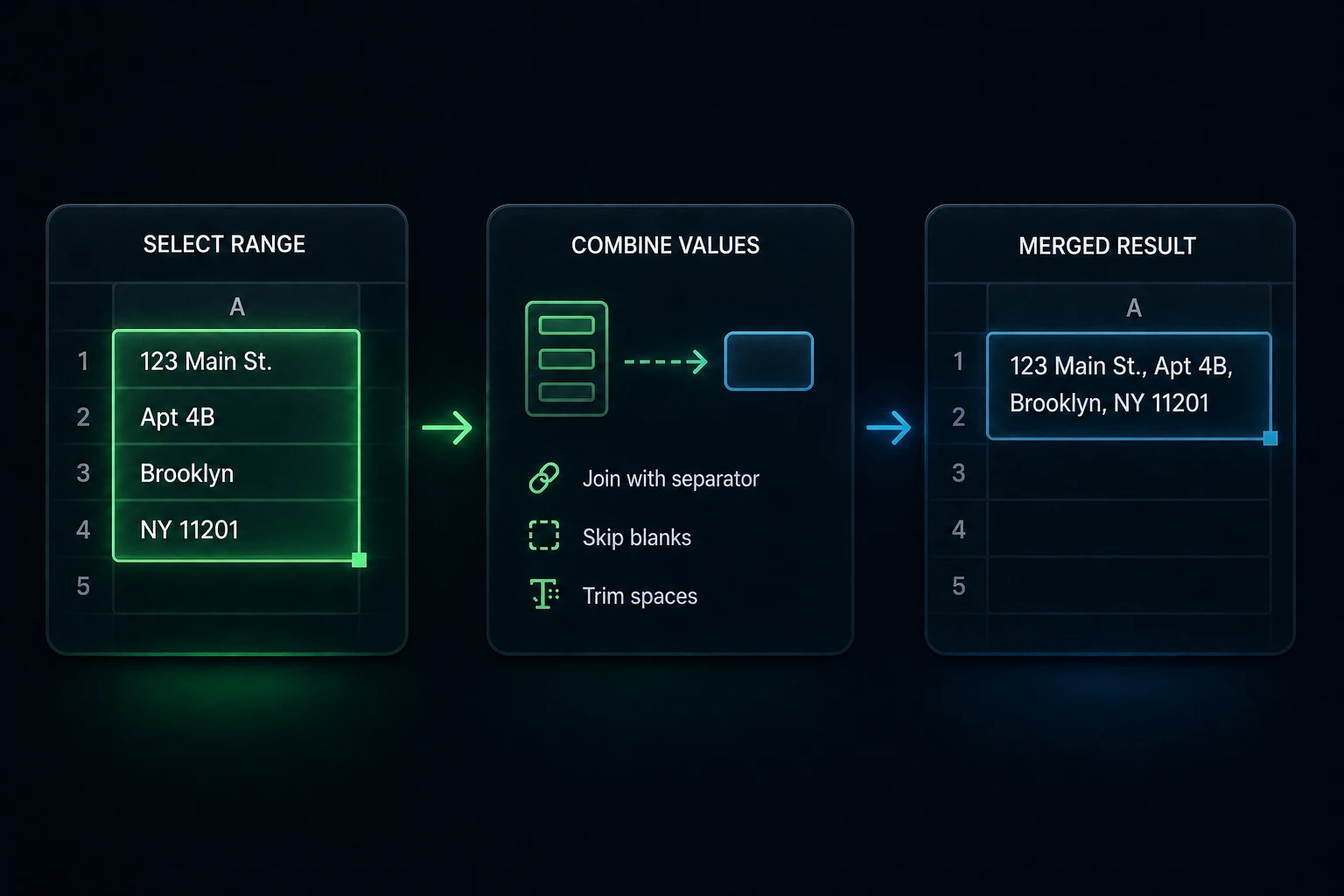
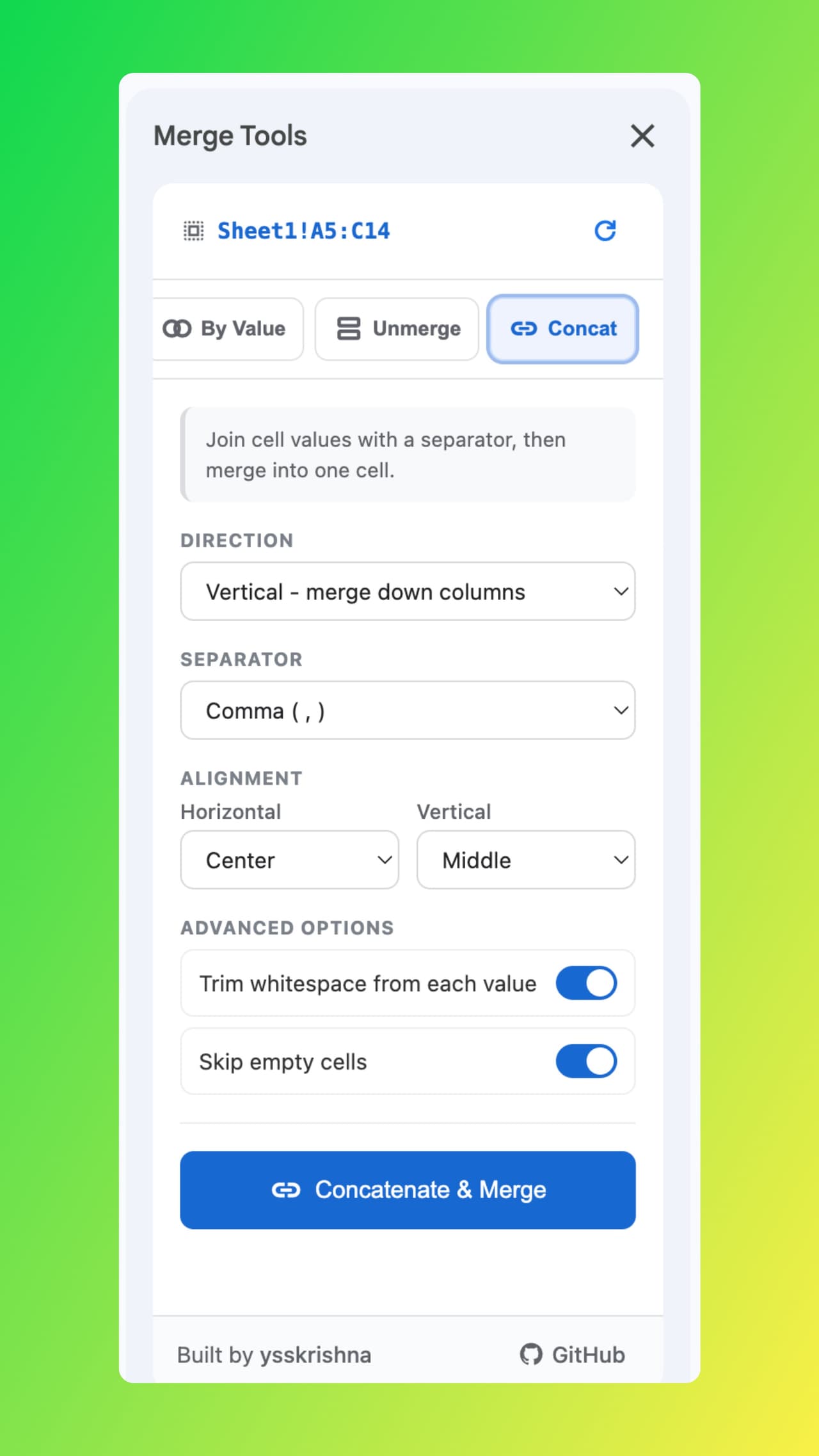
When you need text in one cell before merging, concatenate with common separators or a custom delimiter, trim whitespace, and skip empties so the result stays clean.
Features
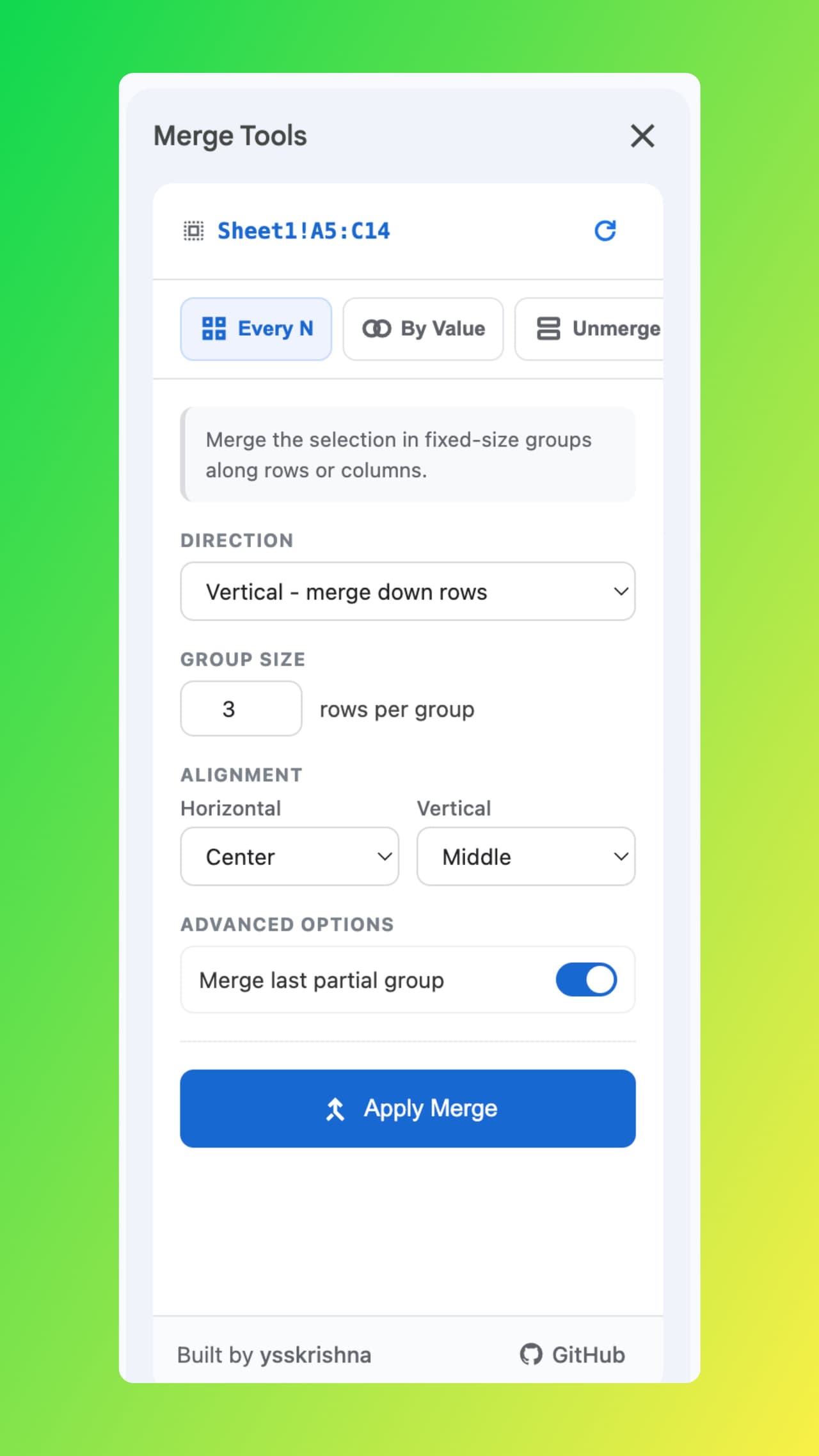
- Merge every N cells with control over the last partial group.
- Merge by value for consecutive duplicates or value-plus-empty runs.
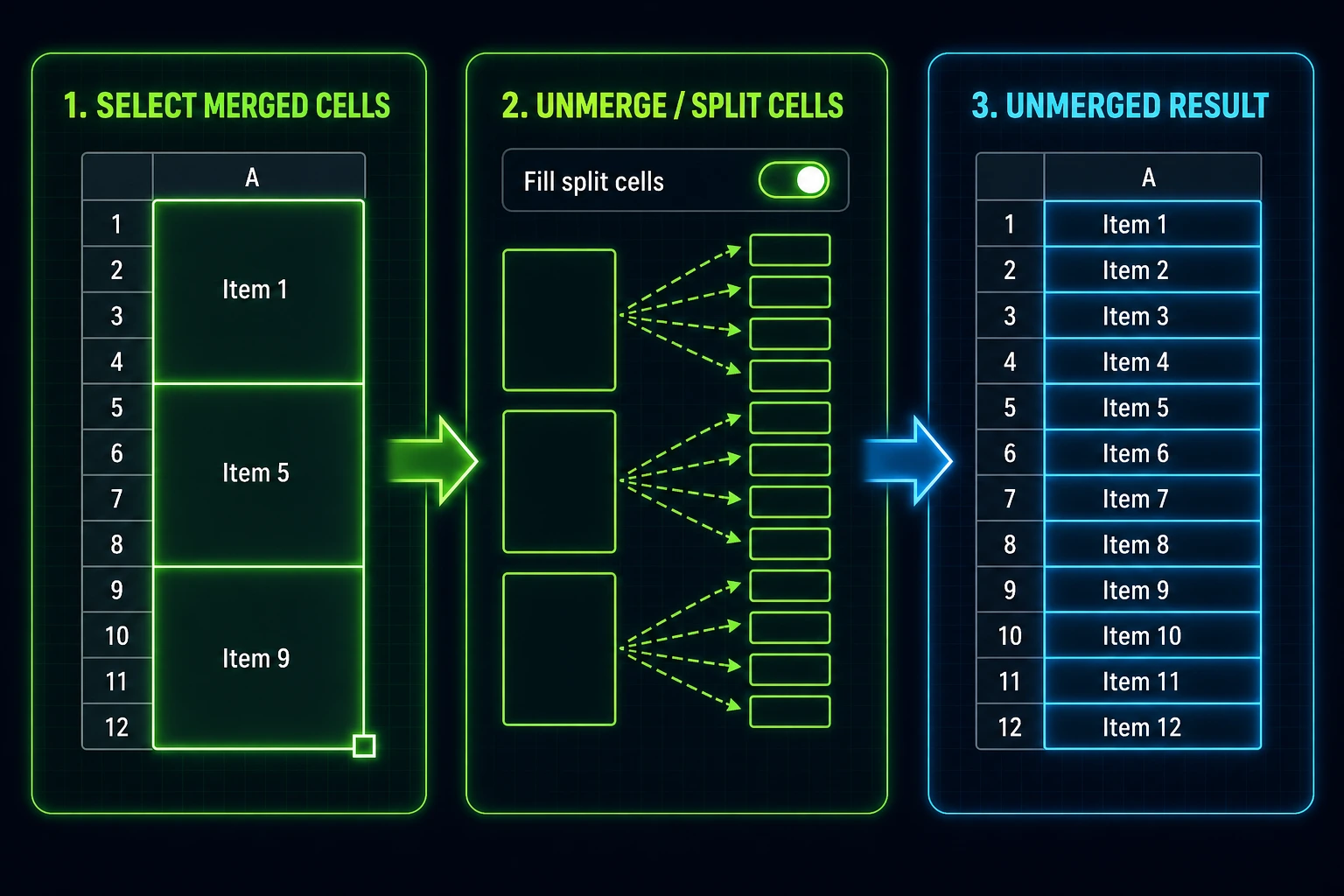
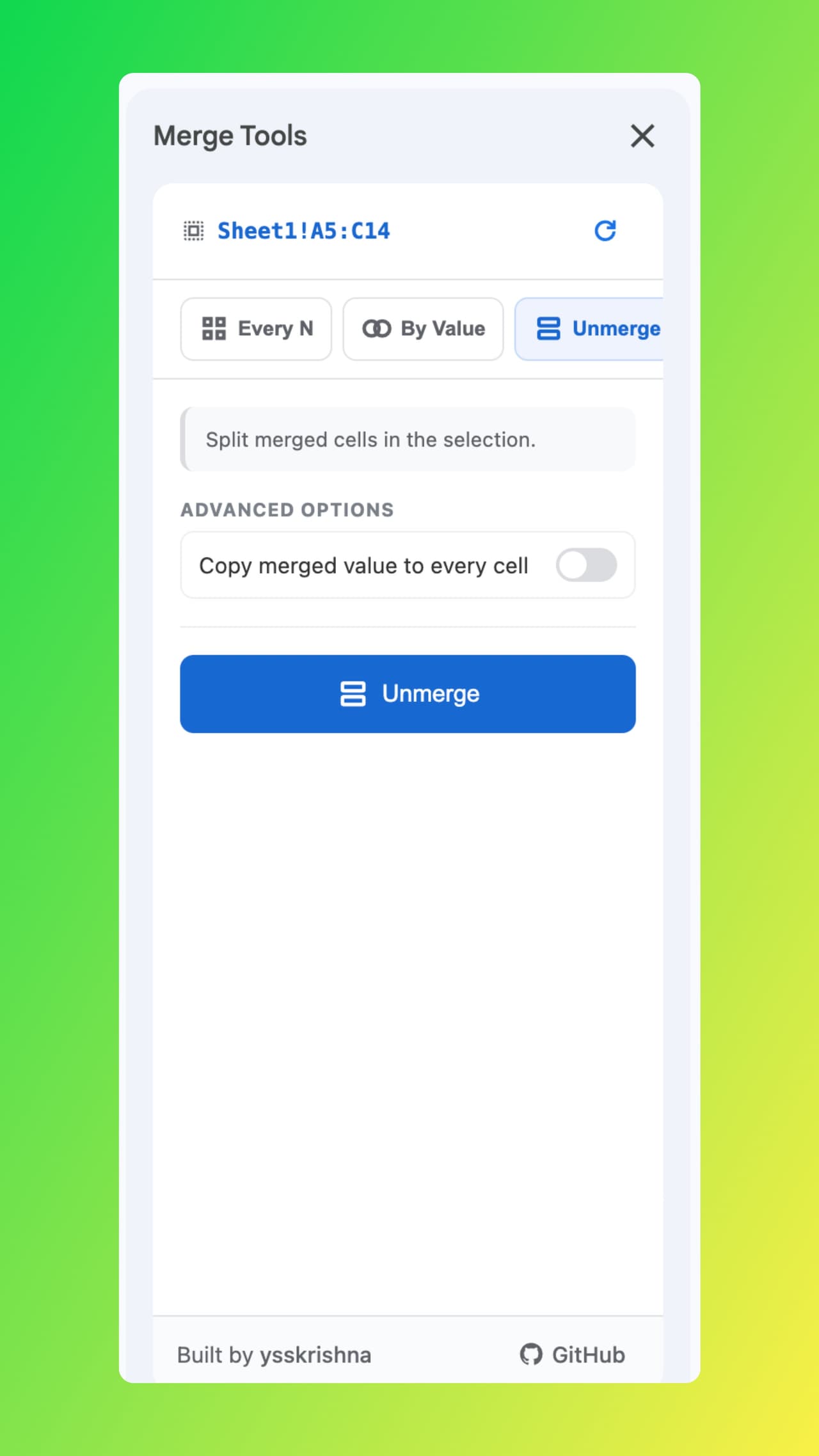
- Unmerge with optional fill so split cells retain the original content.
- Concatenate and merge using comma, semicolon, pipe, dash, newline, or custom separators.
- Direction and alignment for vertical or horizontal work with horizontal and vertical alignment presets.
Built For
- Finance and ops layouts that depend on grouped presentation
- Anyone cleaning exports that need consistent merge semantics
- Sheet owners who want speed without sacrificing data integrity
Get the Sidebar Workflow
Docs and the project site cover policies and support; the repo stays the source of truth for updates.
Run merge, unmerge, and concatenate-from-sidebar flows in Google Sheets instead of fixing every range by hand.