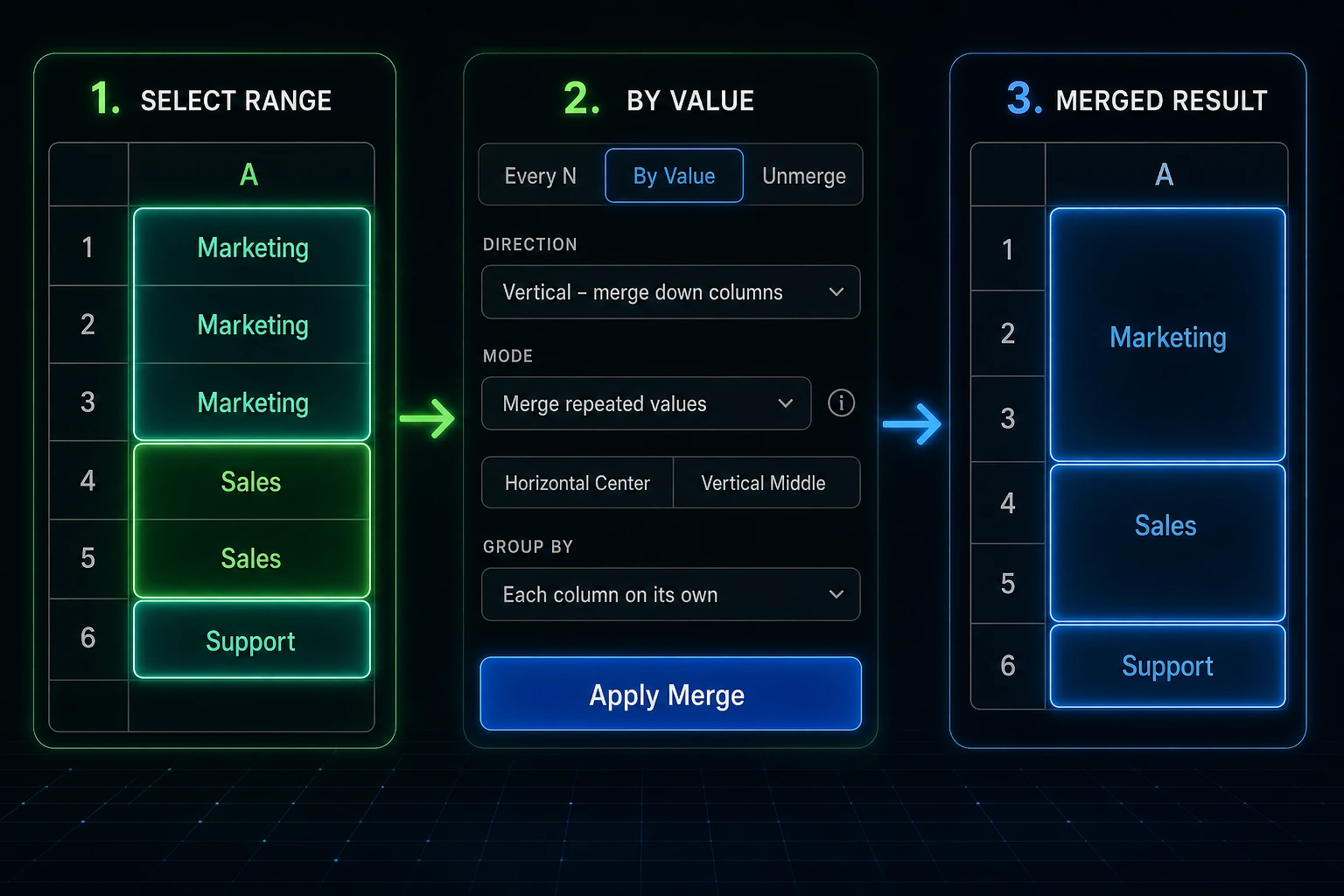


A report can be technically correct and still hard to read. You see "Marketing" repeated ten times, "Sales" seven times, "Support" four times, and the sheet starts to feel louder than it needs to be.
That's not a data problem. It's a presentation problem.
Merge Tools can merge consecutive matching values in Google Sheets so repeated labels turn into clean visual groups.
When repeated values should become groups
This is useful when the order of the sheet already tells a story. Rows are grouped by department. Tasks are grouped by status. Transactions are grouped by date. The repeated value is there because each row needs context, but the human reading the report doesn't need to see the same label every line.
Manual merging works until the groups change size. Five rows here, twelve rows there, one lonely row at the bottom. That's where mistakes creep in.
Merge matching neighbors
With By Value, Merge Tools looks at neighboring cells in the selected range and merges the consecutive cells that match.
It doesn't sort the data. It doesn't guess which rows belong together across the whole sheet. It follows the order you already have, which is exactly what you want for reports that are already grouped.
Run it vertically when repeated values go down a column. Run it horizontally when repeated values move across a row.
Handle label-and-blank reports
Some exported reports show a label once, then leave the cells below it blank until the next label appears. Humans understand that layout. Spreadsheet tools often don't.
Merge Tools can extend the visible value through the blank cells that follow it. The result is a merged block that reflects how the report was meant to be read.
Choose how columns behave
Sometimes each column should be merged on its own. Other times, the first column defines the groups and the rest of the selected range should follow that same pattern.
Both are valid. A category column might drive the structure for the whole report, while a status row might need independent merging across each row.
Three quick steps
- Open Extensions → Merge Tools.
- Select the range that contains the repeated values.
- Choose By Value, set repeated-value or value-with-blanks behavior and Direction, then click Apply Merge.
Try it and learn more
The Merge Tools — Examples Workbook includes ByValue_Repeat_Vertical, ByValue_Repeat_Horizontal, and ByValue_Blanks tabs for repeated labels and label-with-blanks layouts.
For the broader add-on listing, see Google Sheets Merge Tools. For where this workflow fits alongside the other modes, start with Merge Tools for Google Sheets.
Leave a review
If Merge Tools turned a noisy repeated-label report into something readable, the Google Workspace Marketplace listing is the place for a short note. Stars and a sentence or two help other people find it when their category column starts looking like a wall of duplicate text.