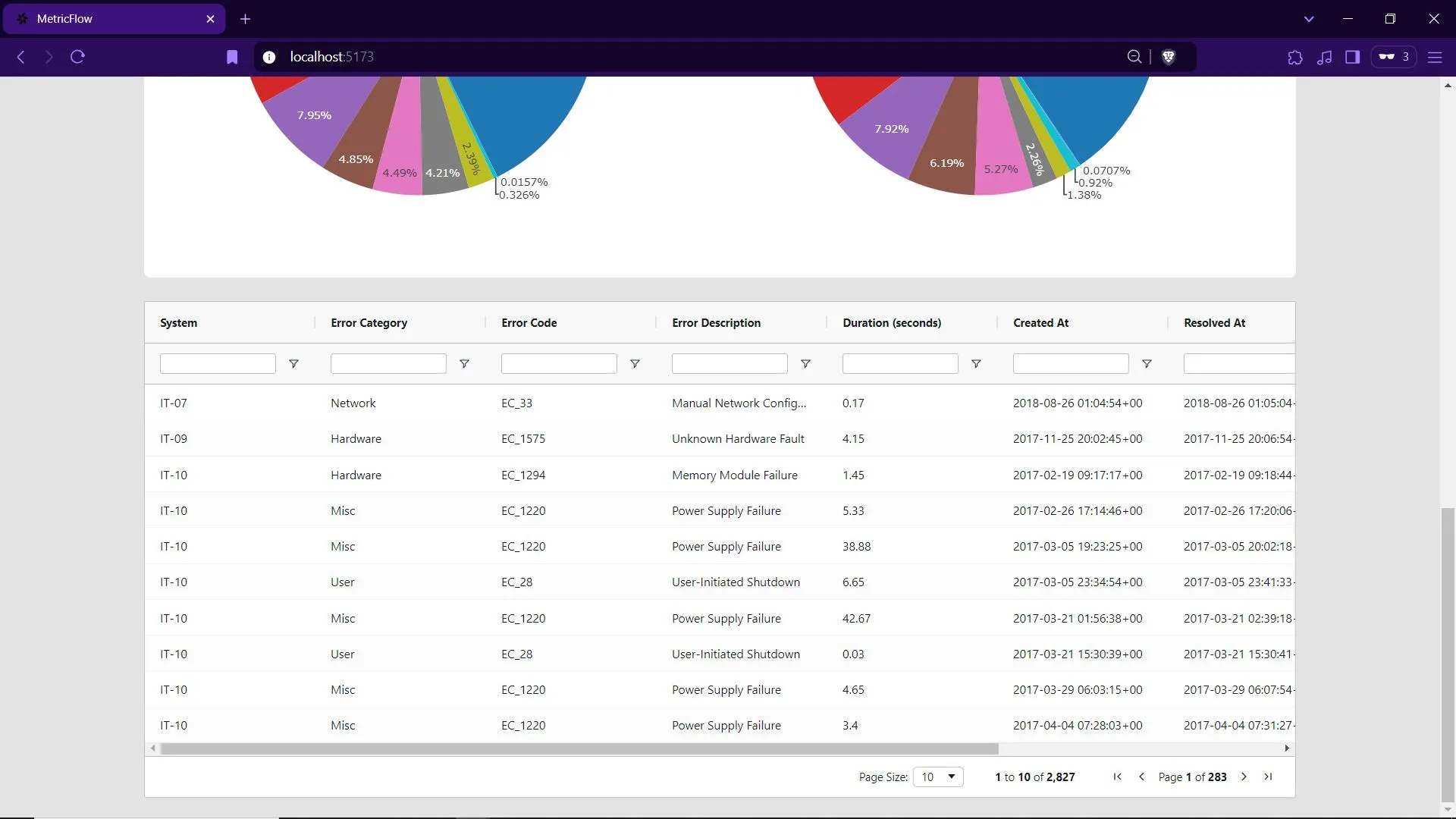
Filter IT fault records, chart the noisiest error codes, and inspect everything in a sortable grid
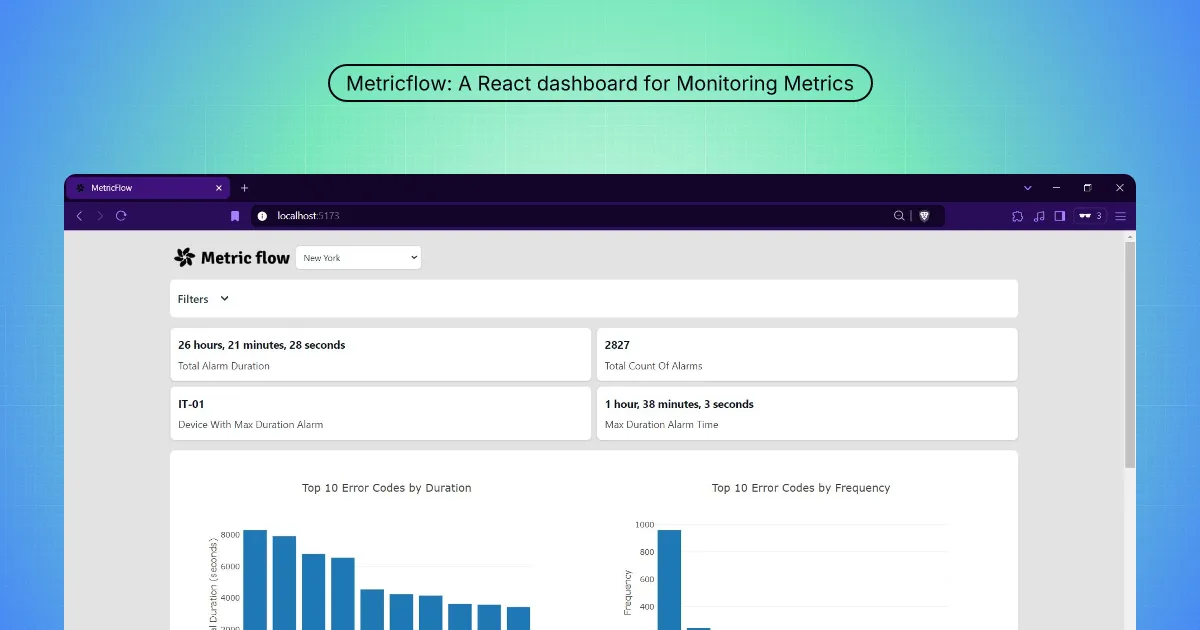
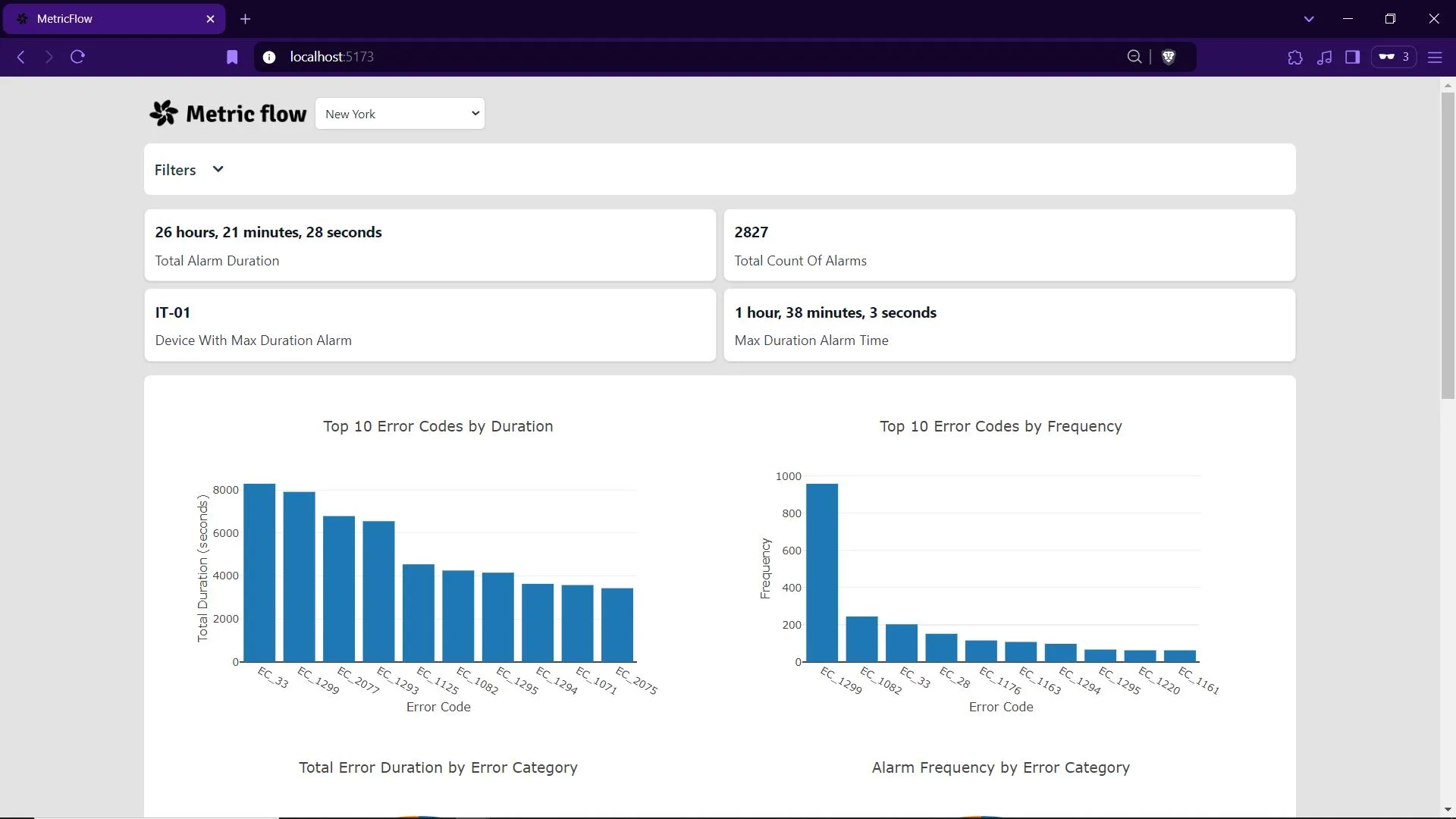
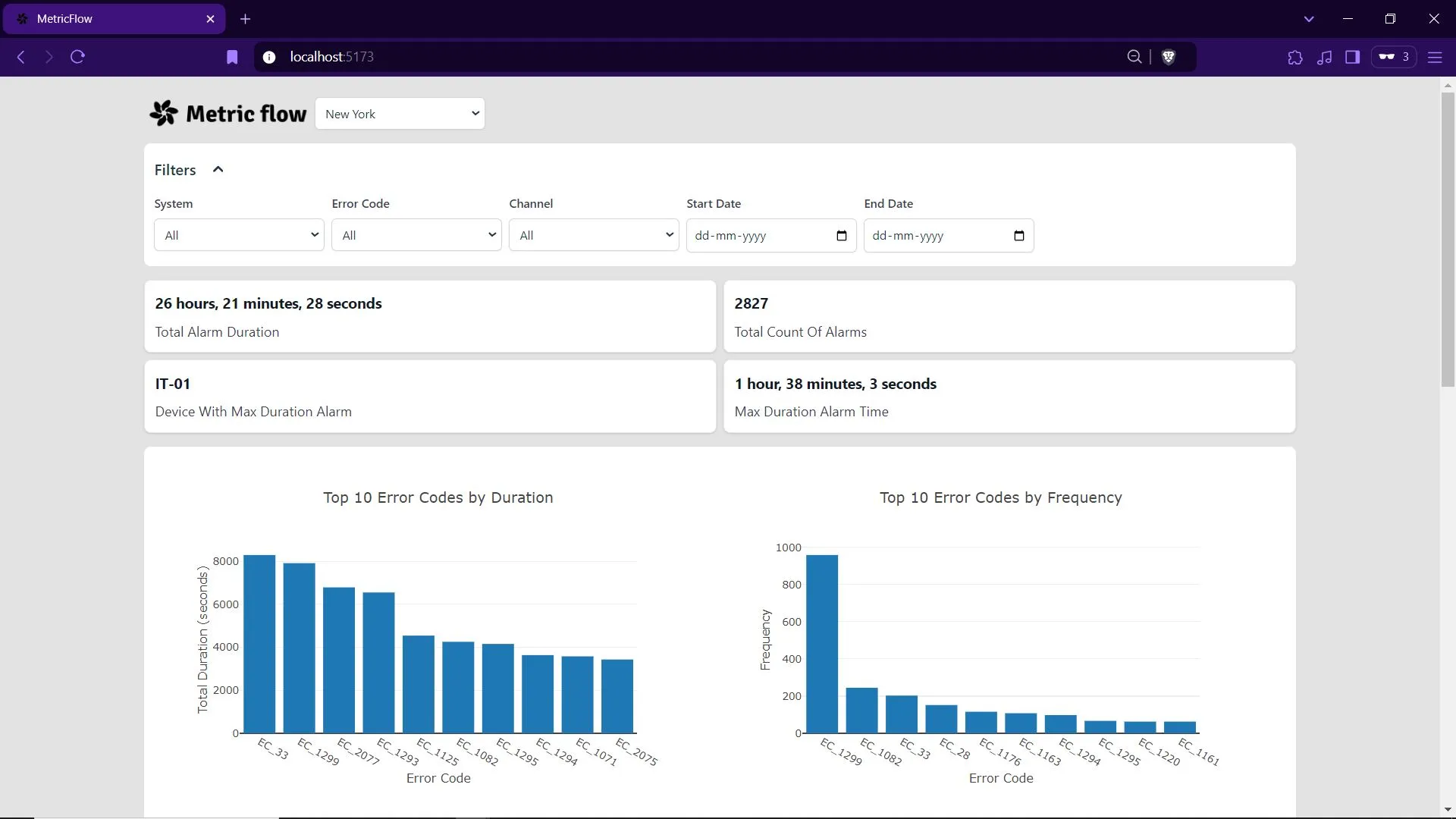
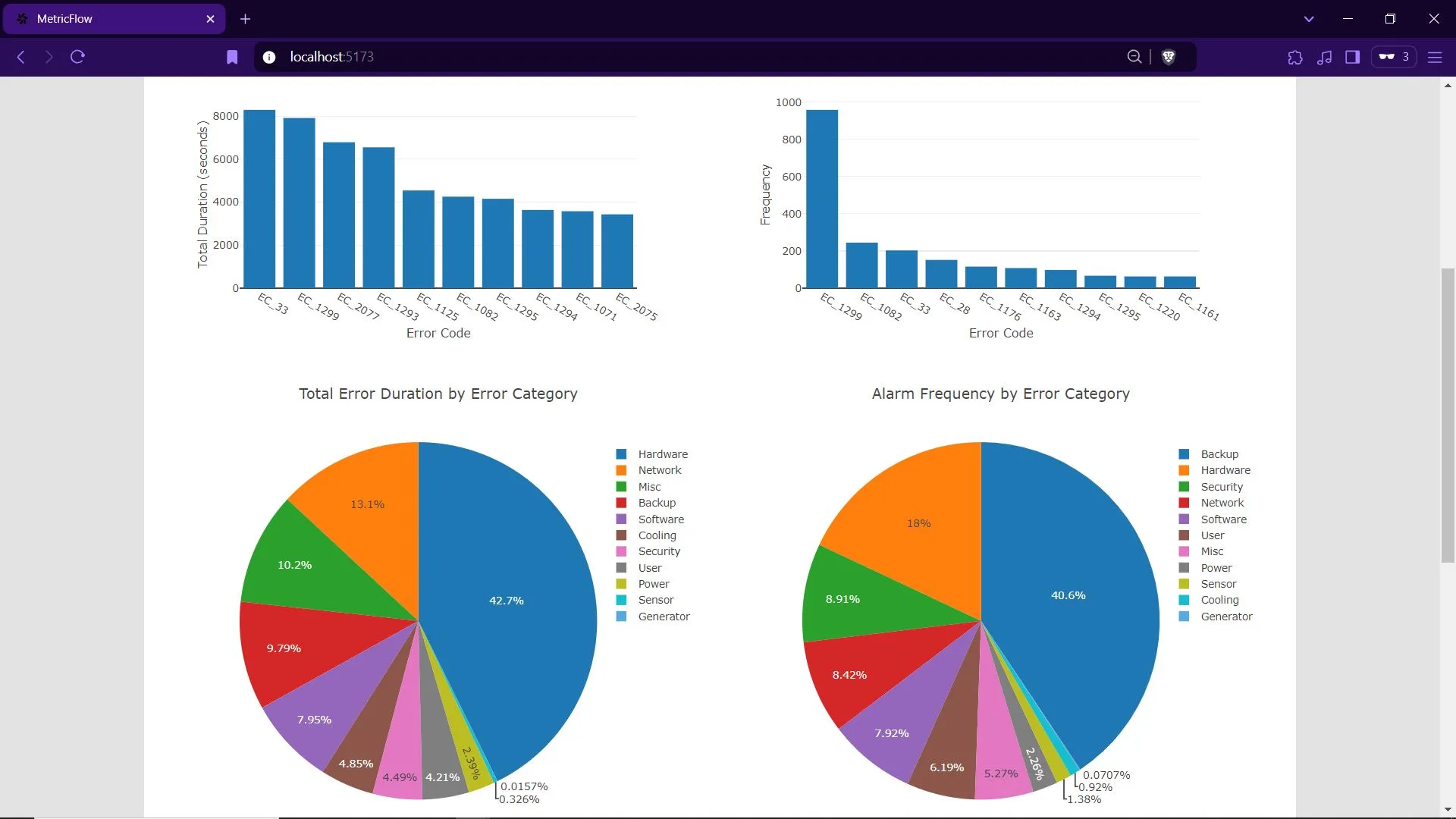
MetricFlow is a React dashboard for fault data on IT-style devices. The README describes filters (such as location, error code, and date range), two “top 10” views (error codes ranked by duration and by frequency), and a tabular grid with sorting and filtering (via AG Grid), with Plotly charts in the mix.
When it is useful
You have CSV- or API-shaped fault exports (or a pipeline feeding what the client expects), you need a front-end reference for triage meetings, or you are teaching how dashboards combine filters, charts, and dense tables. It is a visualization client, not a full monitoring agent or ticketing system.
What you can do
- Narrow the dataset with the filter controls shown in the project screenshots.
- Compare which codes dominate by time vs. by count using the ranked views.
- Drill into row-level detail, reorder, and filter columns in the main table.
- Run the client locally using the steps in the GitHub repository (build tooling and commands live there).
Limits
- Data quality and freshness depend on what you feed in; the UI does not magically fix gaps or mis-tagged incidents.
- There is no claim here of predictive outage prevention or enterprise SLAs; those require your stack, on-call process, and validation.
- Anything beyond the README feature list (alerting, RBAC, multi-tenant hosting) is custom work.