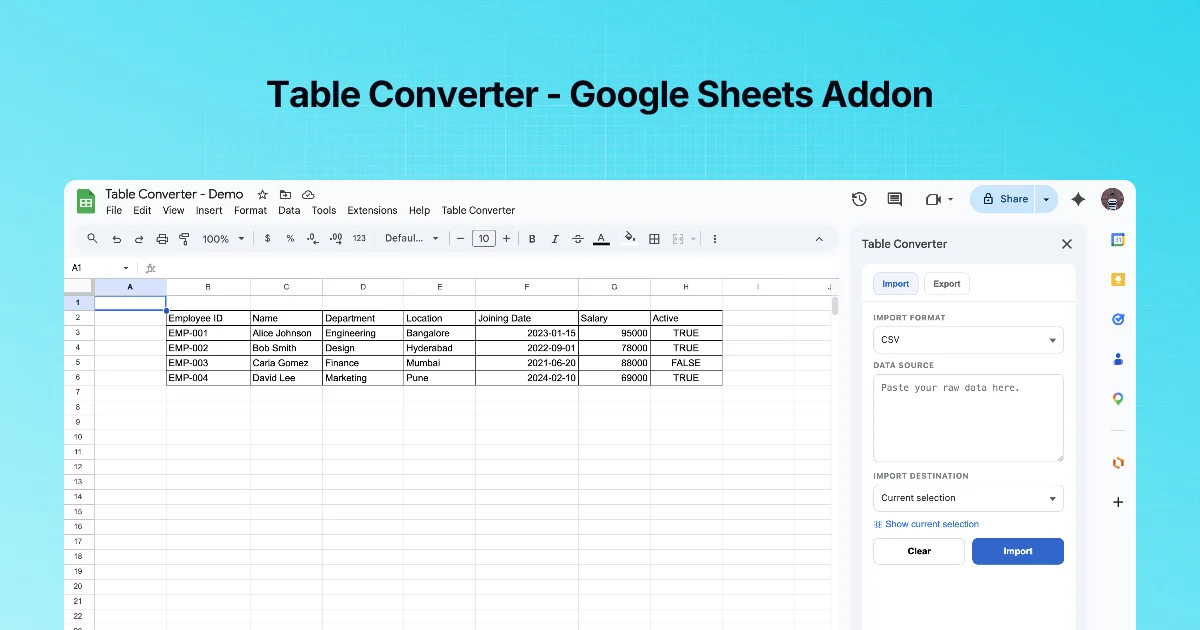
Export is the other half of the add-on, and the most searched one: "Google Sheets to Markdown" and "Sheets to JSON".
Step by step
- Select the range, including the header row.
- Sidebar → Export. Use Show current selection to confirm the range.
- Choose EXPORT FORMAT: CSV, JSON, Markdown or HTML.
- Click Copy to put it on the clipboard, or Export to download a file.
What each format is for
| Format | Use in | Output shape |
|---|---|---|
| Markdown | GitHub READMEs, issues, PRs, docs sites, AI prompts | Pipe table with a header separator |
| JSON | API fixtures, seed data, config | Array of objects keyed by the header row |
| HTML | Emails, CMS editors, Teams messages | <table> markup |
| CSV | Importing into other tools, scripts | Comma-separated with standard quoting |
Example: the same range in two formats
Range (sample data):
| tool | users | free |
|---|---|---|
| Text Power Tools | 2K+ | TRUE |
| Merge Tools | 82 | TRUE |
As Markdown:
| tool | users | free |
| --- | --- | --- |
| Text Power Tools | 2K+ | TRUE |
| Merge Tools | 82 | TRUE |
As JSON (expected shape):
[
  {"tool": "Text Power Tools", "users": "2K+", "free": "TRUE"},
  {"tool": "Merge Tools", "users": "82", "free": "TRUE"}
]
Shape the sheet first
- One header row, no merged cells. Unmerge with Merge Tools before exporting.
- Headers that suit the target. For JSON keys, convert headers to
camelCaseorsnake_casewith Text Power Tools. - No blank rows inside the range.
- Displayed vs. underlying values. A cell formatted as
$1,200holds1200. - Pipes in cells for Markdown: a
|inside a value must be escaped as\|in Markdown.
Markdown into Teams, Slack or Outlook
A Markdown table pastes fine into GitHub. Chat and email tools differ: Slack does not render tables, and Teams and Outlook need rich text or HTML. For those, export HTML, or paste the Markdown into the site's Markdown to Teams or Markdown to Outlook converter. Chapter 6 does this end to end.
Practice: export the same range three ways
Select a small range with a header row, for example three columns and four rows. In the Export tab, choose each format in turn and click Copy, pasting the result into a text editor:
- Markdown: check the separator line under the header and that every row has the same number of pipes.
- JSON: check that keys match your header text exactly; a header with a trailing space becomes a key with a trailing space.
- CSV: check that values containing commas are quoted.
Fix the header names in the sheet (short, no trailing spaces) and export again; this is usually the only cleanup needed.
Quick check
-
What must your selection include for good JSON keys?The header row.
-
Which format for a GitHub README?Markdown.
-
Your export has empty-header columns. What was wrong in the sheet?Merged or blank header cells; unmerge and fill headers first.