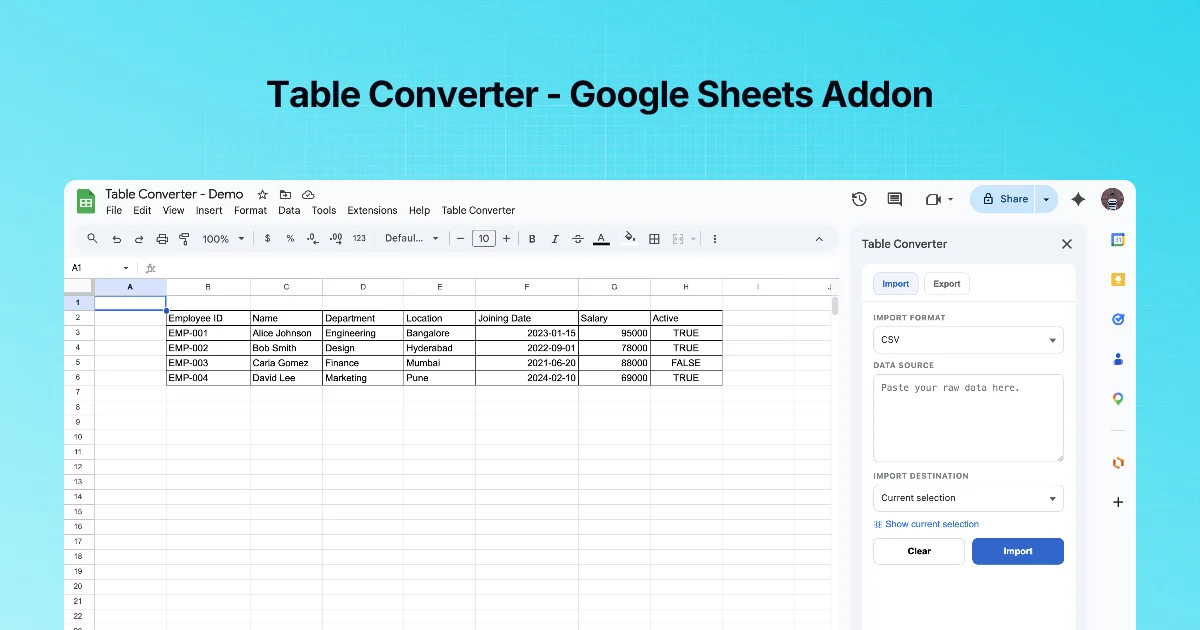
A common setup: a status table (releases, owners, versions) lives in a sheet everyone edits, and copies of it live in a README and a Teams channel. Copies drift. This recipe makes refreshing them a two-minute job.
The sheet
| component | owner | version | status |
|---|---|---|---|
| api | Asha | 2.4.1 | stable |
| web | Raj | 3.0.0-rc1 | rc |
| sheets-add-ons | Li | 1.8.0 | stable |
Sample data. Keep it on its own tab named README table, one header row, no merged cells.
Step 1: Markdown for the README
- Select the table including headers.
- Table Converter → Export → Markdown → Copy.
- In
README.md, put the table between two marker comments so you always replace the same block:
| component | owner | version | status |
| --- | --- | --- | --- |
| api | Asha | 2.4.1 | stable |
| web | Raj | 3.0.0-rc1 | rc |
| sheets-add-ons | Li | 1.8.0 | stable |- Commit. GitHub renders it as a table.
Step 2: Teams
Teams does not render a pasted Markdown table as a table reliably. Two options:
- Export → HTML → Copy, then paste into a tool that accepts HTML, or
- Paste the Markdown into Markdown to Teams, click copy there, and paste into the Teams message. The site's converter outputs Teams-ready rich text including tables.
If an agent posts the update through an API, the Markdown Convert MCP server's markdown_to_teams tool produces HTML for Graph's contentType: html.
Step 3: updating
When the sheet changes:
- Re-export Markdown → replace the block between the markers → commit.
- Re-convert for Teams → post the update in the same thread.
A short "last updated" cell in the sheet, included in the export, tells readers how fresh the copy is.
Checklist
- One header row, no merges, no blank rows
- Headers named for the destination
- Marker comments around the README table
- Teams version converted, not pasted raw
- "Last updated" included
Course recap
Import: pick the format, paste, choose current selection or a new sheet, Import. Export: select with headers, pick the format, Copy or Export. Most problems come from the sheet's shape (merges, blank rows, header names), so fix the shape first.
Keeping the README in sync
The sheet is the source of truth; the README copy goes stale the moment someone edits the sheet. Two habits help:
- Put a line under the table in the README: "Source: , exported ". Readers know how fresh it is, and you know where to update it.
- Re-export after every change that matters and replace the whole table rather than editing single cells in Markdown. Hand-edited Markdown tables drift from the sheet and eventually disagree with it.
| Destination | Format to export | Notes |
|---|---|---|
| GitHub README or docs | Markdown | Renders as a table on GitHub |
| Teams or Slack message | Markdown | Check the preview; very wide tables wrap badly on mobile |
| A test fixture or seed file | JSON | Keys come from the header row |
| Another spreadsheet or tool | CSV | The most widely accepted format |
Quick check
-
Why put marker comments around the README table?So each update replaces exactly the same block.
-
Why not paste the Markdown table straight into Teams?Teams doesn't reliably render Markdown tables; convert to rich text or HTML first.
-
What keeps all copies honest?A single source of truth in the sheet, plus a "last updated" value in every export.